
reseau:opnsense:firewall-guest
Ceci est une ancienne révision du document !
OPNSense - Règles de firewall pour un réseau invité
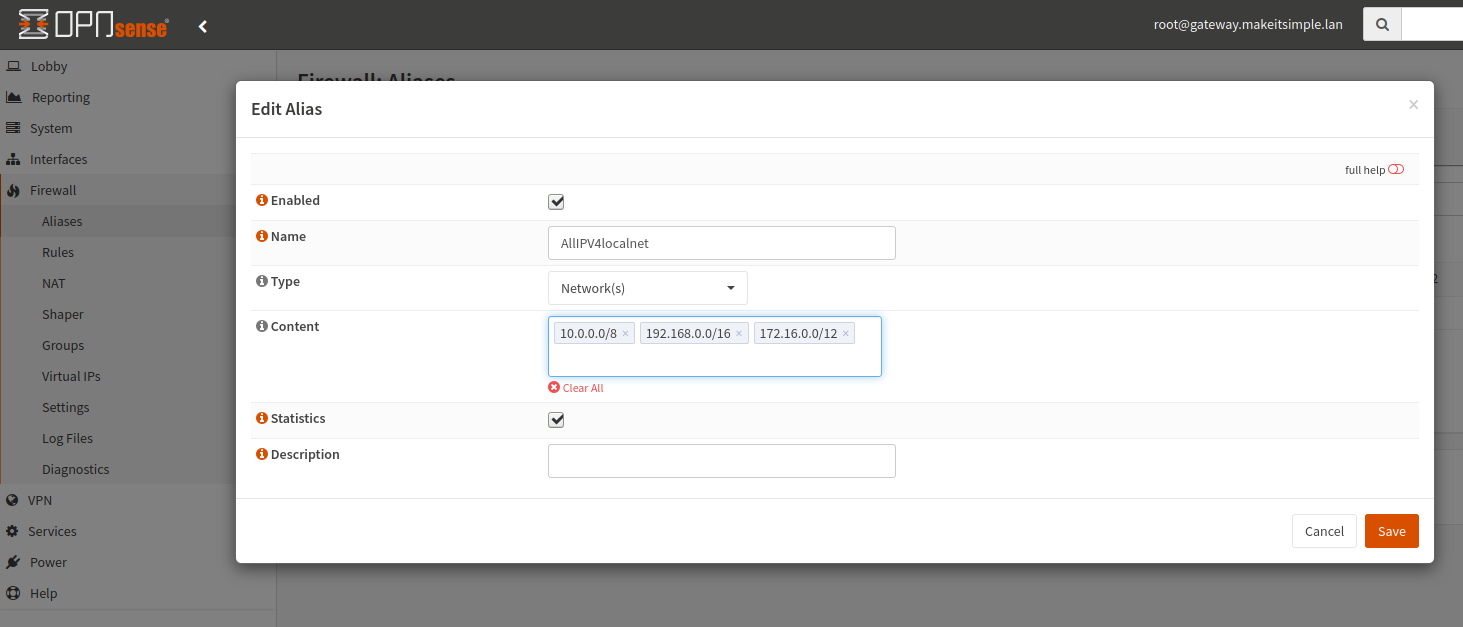
- Dans Firewall → Aliases, nous allons d'abord créer un alias AllIPV4localnet qui va identifier tous les réseaux locaux pour les bloquer facilement. Mettez-y :
- 10.0.0.0/8
- 192.168.0.0/16
- 172.16.0.0/12
- Dans Firewall → Rules → Guest créer les règles suivantes:
- DNS:
- Protocol IPv4 TCP/UDP
- Destination 8.8.8.8
- Port 53
- HTTP:
- Protocol IPv4 TCP
- Destination !AllIPV4localnet (AllIPV4localnet inversé)
- Port 80
- HTTPS:
- Protocol IPv4 TCP
- Destination !AllIPV4localnet (AllIPV4localnet inversé)
- Port 443
- IMAP:
- Protocol IPv4 TCP
- Destination !AllIPV4localnet (AllIPV4localnet inversé)
- Port 143
- IMAPS:
- Protocol IPv4 TCP
- Destination !AllIPV4localnet (AllIPV4localnet inversé)
- Port 993
- POP3:
- Protocol IPv4 TCP
- Destination !AllIPV4localnet (AllIPV4localnet inversé)
- Port 110
- POP3S:
- Protocol IPv4 TCP
- Destination !AllIPV4localnet (AllIPV4localnet inversé)
- Port 995
- SMTP:
- Protocol IPv4 TCP
- Destination !AllIPV4localnet (AllIPV4localnet inversé)
- Port 25
- SMTPS:
- Protocol IPv4 TCP
- Destination !AllIPV4localnet (AllIPV4localnet inversé)
- Port 465
- Whatsapp1:
- Protocol IPv4 TCP
- Destination !AllIPV4localnet (AllIPV4localnet inversé)
- Port 5222 - 5223
- Whatsapp2:
- Protocol IPv4 TCP
- Destination !AllIPV4localnet (AllIPV4localnet inversé)
- Port 5228


reseau/opnsense/firewall-guest.1582396808.txt.gz · Dernière modification : (modification externe)